



AI Design Benchmarking With Screenshot Library MCPs
If you have already tried to hand a design benchmarking session to ChatGPT, Claude, or your favorite agent, you were probably disappointed. That reaction is normal. Out of the box, an agent is a weak benchmarker. I run this work in ChatGPT, Claude, Cursor, or whichever agent I have open — and the gap is not the model. It is whether that model can see real product screens.
Why Default Agents Fail at AI Design Benchmarking
A default agent benchmarks from stale knowledge and marketing pages, not from the interfaces your competitors actually ship.
An agent’s built-in knowledge is already anchored in the past. When it goes looking for data on the internet, the results are heavily biased by the marketing pages of the tools you want to benchmark. It has no access to mobile apps, and no access to the part of an interface that sits behind a login screen.
So the work collapses to whatever is sitting in public web pages — which, for most products, means the marketing site. That is not a reliable benchmark. It is not the quality you expect when you are trying to understand real competitive UI.
The good news is that this is a repairable defect, not a reason to drop agents from the workflow.
Screenshot Library MCPs Are the Fix
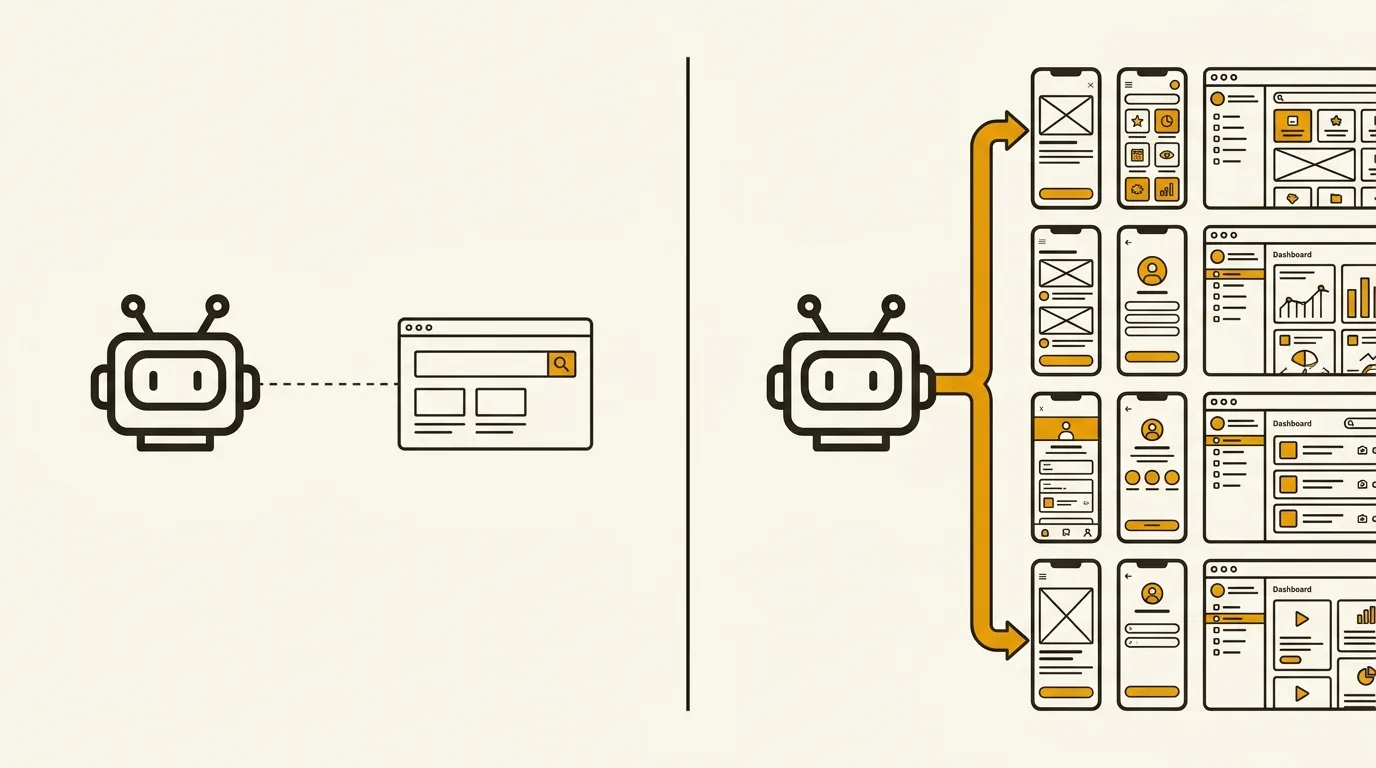
Connect the agent to a screenshot library MCP and it can analyze hundreds of production screens — with metadata — on the exact topic you care about.
The fix is the MCP of a screenshot benchmark library. An MCP is a connector between an agent and a third-party tool. You can use one to reach Notion, Jira, Figma, or whatever you already work in. You can also use one to reach a screenshot library.
Those libraries are sites that group thousands of screenshots with metadata attached to each one: how old the screen is, what it contains, which visual elements sit inside it, what is interesting around it. For a human, that is extremely practical — you can look at a lot of work. It is also hard to ingest. A library holds thousands of screenshots. Even on a fairly precise topic, you can land on dozens or hundreds of matching screens. Analyzing them takes time. That is exactly the kind of work AI is good at.
Connecting an AI to a library that already holds hundreds of screenshots on your precise subjects is the combination that works. The concept is easy: hook an AI to a benchmark library. The practice is a little more involved, and it starts with picking the library.
Default agent benchmarking
- Built-in knowledge is already anchored in the past
- Web search is biased by marketing pages
- No access to mobile apps or UI behind a login
- Limited to public internet pages — usually marketing sites
- The benchmark is not reliable, and not the quality you expect
Agent plus screenshot library
- Connected to thousands of screenshots with metadata
- Age, content, visual elements, and what sits around the screen
- Dozens or hundreds of matching screens on a precise topic
- The AI analyzes that set and extracts practices from production UI
- Recommendations come from competitor screens that actually shipped
How to Choose and Connect a Screenshot Library MCP
Pick a library that already has an MCP, paste the install command into your agent, then authenticate if the library sits behind a paywall.
First, find the screenshot library you will connect to your AI — and confirm an MCP is available. I have three options.
Mobbin is the largest benchmark library. They announce 600,000 screenshots. They have an MCP. The catch: it sits behind a paywall. You need a Mobbin subscription, at €10 per month. That subscription is also what gets you into the best benchmark library available. There is no real debate on that point.
Refero is a large Mobbin competitor. They announce 150,000 screenshots. It is €17 per month. The MCP is also locked behind their paywall. I would not recommend Refero here. It costs more than Mobbin, it has fewer screenshots, and I find the site a bit less polished. Prefer Mobbin if you are paying.
If you want a free option, there is Pablooo.club, a screenshot benchmark library for product people that I have been feeding for a few years. It is approaching 10,000 screenshots, and the MCP is completely free. That is already a solid amount of data to start with. If you later want more depth, you can move to a more professional tool. I should be clear: recommending the free option is biased, because it is a site I maintain.
Which one you pick depends on the tools you already use, the ones you are used to, and your budget. They broadly do the same job, with a different library depth and a different quality of metadata. That choice is yours.
Once you have a favorite, go to that product’s site. They all have a dedicated MCP page. Open your preferred agent — Claude Code, Codex, or Cursor. If you have not used any of these yet, I would start with Codex. It is the simplest to pick up. It is OpenAI’s tool, and it has a clean application. Install it and start there.
On the Mobbin, Refero, or Pablooo.club site, you will find an install command. Copy it and paste it into the agent. That connection is what links your AI agent to the screenshot library MCP. If you use Mobbin or Refero, there is a short authentication step: you log into your account to make the link. Then you are ready.
From there it is straightforward. Ask Claude Code, Codex, or Cursor to run a benchmark. The agent will use the MCP connector on its own and pull data from those screenshot libraries.
Mobbin
Refero
Three Ways to Use AI Design Benchmarking Once Connected
Once the MCP is live, use the agent to fetch screens, extract do’s and don’ts from production UI, and critique your own design against competitors.
The first use is simply exploring screenshots. Ask your agent to find paywall screens that include a renewable subscription and a lifetime offer. It can go get those screenshots and display them directly in the chat. That is the baseline use.
The more interesting use is to ask it to analyze screens that do a specific thing and pull out the do’s and don’ts — or that kind of best practice. The AI can quickly analyze the dozens or hundreds of screenshots the library returns, infer good practices and bad ones, and extract recommendations based on screens that are actually in production at your competitors. That is the useful part.
The third use, and the one I rely on a lot, is to have it critique a design. You put a design in front of the agent, you explain the context, and you ask it to critique the work — and to compare it to the competition. That often surfaces real improvement opportunities, and it shows how you sit relative to competitors. The agent can look at those competitors through the benchmark library. You are not just getting the AI’s opinion in isolation. You are getting an opinion informed by that extra data.
If you want automated AI design benchmarking with agents, there is a clear before and after between using a screenshot library MCP and not using one.
Final Thoughts
The default agent is a poor benchmarker. The same agent, connected to a library of real production screens, is a different tool. This space is moving fast: some of it works, some of it does not. The only way to form a real opinion is to put your hands in it and see what you get.
Get the next article first
Every new article, plus my weekly handpicked product nuggets.
Or only the blog posts via RSS:
FAQs
Why do AI agents fail at design benchmarking by default?
Their built-in knowledge is already outdated, web search is biased toward marketing pages, and they cannot see mobile apps or UI behind a login. The result is an unreliable benchmark built from public marketing sites.
What is a screenshot library MCP?
An MCP is a connector between an AI agent and a third-party tool. A screenshot library MCP gives that agent access to thousands of production screenshots plus metadata — age, content, visual elements — so it can analyze dozens or hundreds of matching screens on a precise topic.
Which screenshot library MCP should you use?
If you are paying, Mobbin is the one I would pick: 600,000 screenshots, €10 per month, and the strongest library. Refero is more expensive (€17 per month) with fewer screens (150,000), so I would skip it. If you want a free start, Pablooo.club has a free MCP and is approaching 10,000 screenshots.
What can you do once the MCP is connected?
You can fetch specific screens into the chat, extract do's and don'ts from production competitor UI, and critique your own design against the competition with evidence from the library — not just the model's default opinion.