



Building MCP Apps: Start Simple, Then Iterate
You can ship a working connector, watch an agent search your product, and still fail the person on the other side of the chat. That is what happened when I started building MCP Apps. The agent could find screenshots, read their metadata, and write a decent benchmark. It would not show the screens. For a benchmarking tool, that is not a polish issue. It is the product.
I wanted to learn Model Context Protocol because it is becoming part of how designers, product managers, and developers will ship work inside companies. An MCP is a generic connector: not ChatGPT-only, not Claude-only, not Gemini-only. Any of those agents can use the service you put behind it. I also run Pablooo.club, a screenshot benchmark library for product people, with thousands of screens. Letting an agent pull those screens, run the analysis, and display what it used felt like the right first subject. In June I designed and developed that MCP App end to end. Here is the process I actually followed, including the two days I wasted and the 50% of the stack I still do not control.
Building MCP Apps Starts With a Connector, Not a Screen
An MCP extends an agent with a third-party service. An MCP App is the extra layer that lets you render an interactive interface inside the chat itself.
Model Context Protocol is a service an AI agent can call to extend what it can do. You are not locking yourself to one vendor. You are publishing a protocol any compatible agent can use. In practice it is a connector between the agent and a third-party product.
The well-known example is Jira. Connect that MCP to Claude or ChatGPT and the agent can read, edit, or create tickets. Less famous, but real: a Tripadvisor MCP can search hotels and, under certain conditions, book one after the agent shows results and asks for confirmation. An idealo MCP can pull product price information. Same pattern every time: the agent talks to a service you would otherwise open in a browser.
MCP Apps sit on top of that. They are a layer on classic MCPs that can display interactive interfaces directly in the agent’s chat. Figma is the example that makes the difference obvious. A Figma MCP can edit a file. An MCP App can also put Figma’s interface — with interactive elements — into the thread. Jira, as far as I can tell, does not do this. The surface is still new, and it is barely exploited. That is exactly why it was worth learning.
Pablooo.club was sitting there as the subject. An agent that can search the library, run a benchmark, write conclusions, and show the screenshots it used is not a demo. It is time saved for the person who asked.
Ship a Tiny MCP Before You Build the Real App
Follow the simplest step-by-step tutorial, deploy something fake that actually connects, then iterate toward the product you wanted.
I did not jump at the Pablooo.club use case on day one. The idea had been sitting around for months. I subscribed to AI newsletters — Superhuman AI and The Rundown AI — read the MCP articles that showed up, and tried existing connectors. Jira was the one I actually found useful. I tried Figma’s as well; that one was not a success. The point was not to copy them. It was to build a working picture of what an MCP can and cannot do.
When I finally had a window of time, the first move was deliberately basic. I looked for a step-by-step tutorial for the simplest possible MCP. I did not try to answer my real need yet. I followed that tutorial until I could deploy a fake app: it connected to ChatGPT or Claude, and it always returned a static response. Nothing from Pablooo.club. That was the point. I had a live MCP talking to an agent.
Only then did I add the first real tool: Search Screenshots. The agent sends a query for what it wants to see; I return matching screens from the library. That was easier than it sounds, because the Pablooo.club service already existed. I reimplemented something that was already in production. After deploy, the useless static app became something an agent could actually query.
The path from a static hello to a screenshot UI inside the chat.
When Agents Won’t Render Screens, Use an MCP App
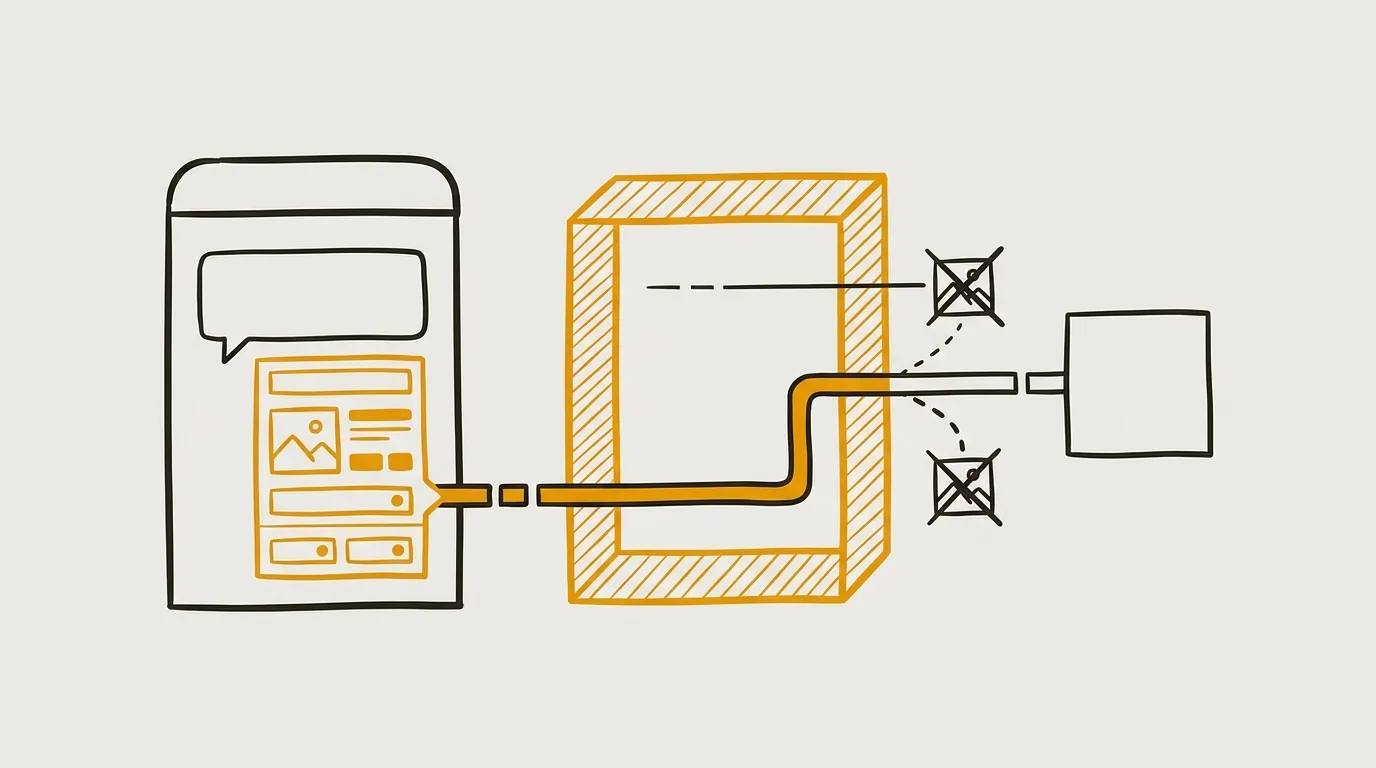
If the job is to show images in the chat, MCP Resources are the wrong primitive. An MCP App is HTML you control, rendered inside the thread.
The first production version looked useful until I used it the way a person would. I sent the agent links to matching screenshots. It could analyze them. It could read the metadata I also returned — text, descriptions, and so on — and turn that into recommendations. That part was already interesting. Display was not. Agents did not want to show the screenshots. They would not load them. When they did, the layout broke. A benchmark the user cannot see is not a benchmark.
I tried MCP Resources first, because they are meant to return files and documents. I bounced off that approach. It did not work the way I needed, and it was highly dependent on how each agent implemented the primitive. I lost two days on it. The honest reason: I had not properly read what MCP Resources are for. I also followed a suggestion from Claude in the chat, which pointed me at Resources as the fix. That was a mistake. After that detour I came back to the option I had not really studied yet: MCP Apps.
An MCP App is HTML — the basic kind. I manage that code. The agent can display it directly in the chat. That is the whole trick. I can show whatever I want, on my own terms, with interactions or redirects if I need them, inside ChatGPT or Claude. I used the same method as the first MCP: the simplest step-by-step tutorial I could find, then a first fake MCP App. It connected. It rendered something in Claude or ChatGPT. The content was static. It basically said hello. The bridge between the MCP and a visual surface in the chat was real.
Then I turned that hello into the actual app: the screenshots the agent had retrieved, rendered in the interface. A typing error sent me in circles for a while. That is when the structural constraint of building MCP Apps became obvious. You only control about 50% of the solution. You ship a tool an agent may use. If the agent is incompatible, if it refuses to call the tool the way you expected, or if a bug sits in the communication between your MCP and the host, it is very hard to find. I do not have a clean fix for that yet. I do have a better instinct for where the risk lives.
I tested the interface on several agents in parallel. ChatGPT came first and worked well. Claude had a small error, specific to its own recommendations. I adjusted for that, then it worked well too. I also tested on Cursor. I cannot cover every host, but I wanted the main ones to be compatible with how I had built it, and not hide a quirk that would break everything. You cannot control the other 50%. You can at least not ignore it.
For the interface itself I stayed on the tutorial’s plain HTML page. Plenty of write-ups will tell you to move to React, Svelte, or another framework for richer interactions and better maintainability. In my case the job was simple: display screenshots, which means display images. I lost a chunk of time trying to configure tools that were too complex. Basic HTML — intro-to-web-dev basic — worked. On MCP Apps you are designing a small surface, not a full product. Simple is often enough.
How I tried to get screenshots into the chat
MCP Resources
MCP App
MCP Testing and Onboarding Decide Whether Anyone Uses It
You cannot debug an MCP without a host, and a server URL is not a product until someone can find it and install it.
Once the agent could search Pablooo.club and the MCP App could show the screens, the technical loop was closed. A server MCP is still almost nothing: a URL you connect to an agent, with no obvious story around it. I added a landing page on Pablooo.club so people could learn the MCP existed, plus short tutorials on how to install and use it. That first install step is not easy, not well promoted, and not clear. I launched with a LinkedIn post. I do not have usage feedback yet.
MCP testing is the part I underinvested in. To see how the product behaves, you have to go through an external agent that talks to your MCP. During discovery I saw tools for faster, more effective local testing. I did not set them up. That was a mistake. Progress was clumsier than it needed to be, and the next iteration will still pay for that missing harness. If I were starting again, I would spend an hour on a clean local test setup rather than pushing a change and re-testing in ChatGPT every time.
The other gap was conceptual. I did not spend enough time up front learning the primitives. The Resources detour was the expensive version of that. If I had read the documentation properly, I would not have followed a chat suggestion into the wrong tool, and I would have a clearer picture of the whole protocol. Same class of mistake on the product side: I started without precise use cases. “An agent should access the screenshot library” is thin. Four or five jobs I actually wanted to cover would have focused the MCP itself and the marketing around it.
MCP onboarding is now the main product problem. There is no real organic discovery beyond that landing page. Inside Claude, ChatGPT, or Cursor, these connectors are not pushed. Recurring communication is part of the work. So is simplifying install, because every host has a different process, and some of them offer a shorter path:
- ChatGPT has an application repository. I submitted the app so it can appear in the ChatGPT App Directory.
- Claude has what they call directories: a repository of MCPs they have validated. I submitted there too, and I hope it is accepted. That would make install much simpler.
- Cursor has Cursor Plugins. It looks like I can submit a pre-packaged install guide, which would simplify usage again.
- Independent sites also list MCPs. I am not very confident those drive much traffic. The three host directories above are the ones that should actually change onboarding.
Onboarding is a large part of the user experience on an MCP. I also put analytics on it from the start, so I can see how many people use the MCP, what they do with it, and whether it returns good results. That did not take much time. The tracking is what will tell me whether to evolve the product, and in which direction.
I did not take the shortcut most MCP tutorials lead with: Claude Code plus a skill that builds the server for you. The goal of this project was to learn what is possible and how it works. If I hand the whole thing to an agent that writes the code, I do not learn much. It probably took ten times longer. I still used ordinary Claude chat to ask questions and get unstuck. I did not use tools that develop in my place. When the point is to understand the constraints, that tradeoff is the point.
Final Thoughts
Building MCP Apps is a product problem dressed as a protocol. Start with the smallest tutorial that actually connects. Add one real tool. When the agent will not show what the user needs to see, put HTML in the chat instead of hoping the host will render your files. Stay on simple markup if the job is simple. Then treat testing and onboarding as part of the interface, because you only own half the stack and a URL is not discoverable on its own.
The practical knowledge is the reason to do it. Not a vague opinion about agents — a concrete pass through how the connector, the app, the host, and the install path actually behave. That is how you get better at product work in this space. If you want a first step into agent-extended tools, the Pablooo.club MCP is free to try. The interesting part is not the demo. It is shipping something an agent can use, and then noticing which half of it you never controlled.
Get the next article first
Every new article, plus my weekly handpicked product nuggets.
Or only the blog posts via RSS:
FAQs
What is the difference between an MCP and an MCP App?
An MCP is a generic connector that lets any compatible agent — ChatGPT, Claude, Gemini, or others — use a third-party service, such as reading Jira tickets or searching a screenshot library. An MCP App is a layer on top: HTML you manage, which the agent can render as an interactive interface directly in the chat.
Why didn't the first screenshot tool display images in the chat?
The first version returned matching screenshot links and metadata. Agents could analyze that content and make recommendations, but they would not load the images, or the display broke when they did. MCP Resources did not fix it. An MCP App that renders HTML in the thread did.
Why skip Claude Code if tutorials recommend it for building an MCP?
The goal was to learn how MCPs work, including the constraints. Using Claude Code with a skill to generate the server would have been faster — probably about ten times faster — but would not have built that understanding. Ordinary Claude chat was still used to ask questions and get unstuck.
What is the biggest gap after the MCP App works?
Testing and onboarding. You have to go through an external agent to see behavior, so a local test setup is worth an hour up front. A server MCP is only a URL until you add a landing page, install tutorials, and submit to host directories such as the ChatGPT App Directory, Claude's directories, and Cursor Plugins.