



How to Use AI Agents for Product Work
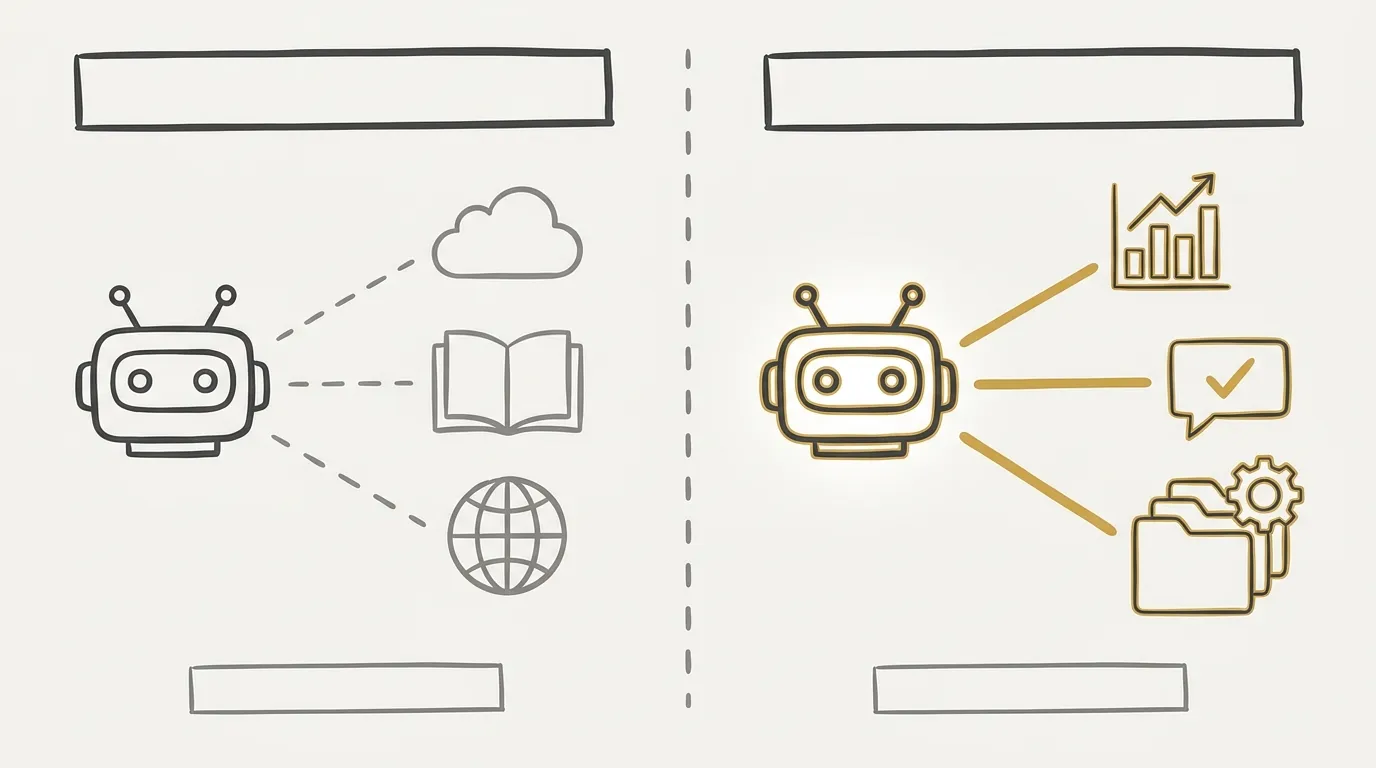
AI agents can change daily product work — but only if you treat them as a setup problem, not a chat problem. A classic chat answers from generic knowledge. An agent can touch your files, use a browser, and stay on a task long enough to iterate. That gap is the whole point.
I have been running this with Claude Cowork, the agent version of Claude. OpenAI has a close equivalent in ChatGPT Work. The advice below applies to both. The tools themselves offer free access, so you can test without an immediate subscription. In a company context, a paid plan is the better default: it adds data-confidentiality protections that free tiers simply do not have.
The work I actually hand to agents falls into four buckets. Benchmarking: compare best practices, competitors, and products that share the same problems, then come back to a synthesis instead of a pile of tabs. Feedback: UX writing, broader wording, and design critique — especially once skills enter the picture, which a plain chat handles in a much more basic way. Analysis: product data and production code, where agents stay more relevant than a one-shot answer. Research: product questions and general knowledge that benefit from a longer search, more paths explored, and a denser result. The rest of this piece is the setup that makes those uses stop feeling like a toy.
MCP Connectors That Make AI Agents Personal
An AI agent becomes useful when it can read your analytics, your user feedback, and your company’s real history — not when it only has generic training data.
Connectors are what plug an agent into third-party tools. That is what multiplies its power. Three types are essential, and they are the ones I would connect first.
The first is a data analytics connector. Whatever you use today — Amplitude, Mixpanel, or something else — most of these products now ship an MCP (Model Context Protocol) that lets an agent pull live data. Deeper tools such as Metabase work the same way. The agent then answers from production events, and sometimes from production database data, instead of from generic knowledge. You get personalized analysis, fast.
The second is a user research repository or user feedback connector. If you collect feedback in Canny, Great Question, or any similar tool, most of those products are starting to offer connectors or MCPs as well. The agent can look at feedback captured in different places and turn it into answers and analysis instead of leaving that corpus idle.
The third is company knowledge: the places where the majority of your internal information actually lives. Notion, Jira, Linear, Google Slides — if that is where release history, feature scope, and ownership sit, it is connectable today through a connector or an MCP. The agent can then ground itself in what really shipped, when it shipped, what it contained, and who worked on it.
With those three in place — analytics, user feedback, and company history — the agent starts to become genuinely useful, because it becomes personal. Other connectors exist for more advanced setups. These three already cover a lot.
Connecting them is straightforward. On Claude, open Customize > Connectors and use the marketplace: check whether the tools your company already uses are listed, then connect them. ChatGPT has an equivalent in plugins, and it does the same job.
The practical blocker is permissions, especially on analytics. An analytics connector typically gives the agent the same access you already have when you use the tool yourself, so the extra risk is relatively low. User research and feedback tools are similarly safe in practice: the agent is reading information you already captured. Knowledge-management tools can be harder to negotiate inside a company. By default, Claude does not write to or modify those tools without your authorization, and those products keep a history, so the residual risk stays relatively low. That is enough reason to push for access rather than wait for a perfect security novel.
Three connectors that make an agent personal
Data analytics
Amplitude, Mixpanel, Metabase, or whichever analytics stack you already use. The agent answers from production events — and sometimes production database data — instead of generic knowledge.
User research & feedback
Canny, Great Question, or any tool that already collects user feedback. The agent reads that corpus and turns it into answers and analysis.
Company knowledge
Notion, Jira, Linear, Google Slides — wherever release history, feature scope, and ownership actually live. The agent can ground answers in what shipped, when, and who worked on it.
Together, these three turn a generic agent into one that knows your product.
System Prompts Keep AI Agents From Repeating the Same Mistakes
If a basic instruction fails two or three times, put it in the system prompt once — then stop repeating it on every question.
A system prompt is a set of standing rules the agent applies to every question. You should not need to restate them. The rule I use: whenever I notice a basic problem more than two or three times, I go change the system prompt and give the agent that instruction.
On Claude this lives in general settings, in a text box labeled system prompt. I keep it as a short list of instructions. I have not dumped dozens of rules in there, and you should not overload it either. Specific workflows belong in skills. The system prompt is for general rules.
Three instructions cover most of what I was tired of repeating. Whenever the agent cites an article, a user insight, or data, it has to include a link to the source I can actually open. Whenever it shares Amplitude or Metabase data — the two services we use — it has to include a link to the chart or the query, so I can verify it or share it without asking. And it should always format for scanning, so I can read the message as fast as possible. That is it: short, general, and automatic. Before those rules lived in the prompt, I was burning thirty seconds to a minute on “please give me the source” and “please create a link” after every data answer.
Claude Skills Are for Repeatable Work, Not Every Task
Create a skill when the same task always needs a ten-line prompt or several round-trips; skip it when a simple question already works.
A skill is a source file that acts as an instruction manual for one particular task. It is worth creating when the work is complex and you want the agent to run it the same way every time: a specific analysis format, a specific output format, a specific use of certain connectors. It structures a complex task that the default agent does not handle well.
If you can ask a simple question and get a good answer without a skill, do not bother. Studies have shown that a lot of skills actually produce a worse result than having no skill at all. Do not create skills for everything.
The rule I apply: if I am forced to write a ten-line prompt, or if I am forced into several back-and-forths with the agent every time I do the same task, then I create a skill — to kill the long prompt, the round-trips, or both.
On Claude, creating one is simple: use the /skill-creator command, which is itself a skill, and Claude walks you through it. To run it later, you can force it with a slash command plus the skill name, or you can let the agent pick the right skill from the question. I use both, depending on whether I want to force the path.
I have created skills for two jobs. The first is content review for written copy. I gave it the brand tone of voice, the UX writing best practices I want checked every time, and the audience I am writing for — in this case, Americans who speak English, with an explicit distinction between American English and British English. I also locked a response structure: a review of the English itself, with detailed explanations so I actually get better at the language; a table of UX writing recommendations against the text I submitted; twenty wording variants that could have done the same job; and a top three, with an explanation of why those three win. Encapsulating that in a Content Review skill means I launch it, paste the copy, and get the same plan every time — instead of re-explaining the whole brief.
The second is written recaps of user interviews. We share a short recap in a channel after each interview. The work is repetitive and time-consuming, and a large part of it is already done: interviews are captured, so I have the full conversation, and I take manual notes throughout because automatic capture often misses visual cues and reactions that were never said out loud. The skill treats my notes as the primary input — that is where it looks for insights — and uses the conversation as confirmation, to validate the facts in those notes. The output is locked too: a precise Markdown structure with the same titles and sections every time, formatted so it can be copied into Slack; timestamps on the points that came out of my notes, paired with actual quotes from the conversation; placeholders for fields I still fill in by hand; and a defined level of detail for those Slack messages. Launch the skill, give it the conversation and the notes, and the recap shape does not drift.
Those two cases earn a skill. Plenty of others do not. Code analysis changes every time, so a skill is not obviously the right move. Benchmarking is the same: the job is different enough each time that a frozen manual gets in the way. The test is still the long prompt or the repeated round-trips. If you do not have either, you do not need a skill.
Quick check
When is it worth creating a skill for an AI agent?
Create a skill when you are stuck repeating a long prompt or a chain of round-trips for the same task. Skip it when a simple question already works — extra skills can make the result worse, and jobs like code analysis or benchmarking often change too much to freeze into one manual.
Let AI Agents Work in the Background
Launch the task, stay on your own work, and come back when you have attention to spare — the agent should wait for you, not the other way around.
Connectors, system prompts, and skills get you well equipped. The next step is less about the product and more about how you work with it.
These agents are better left running in the background. Launch a task, move on, do your actual job. Waiting for them creates defocus. Treat them like interns you are slightly ungrateful toward: you give them work, you let them figure it out, and you ask them not to bother you too much. If you jump at every ping, you stay distracted and you do not actually move your own work forward. It is the same as a colleague tapping your shoulder every three minutes after a tiny step. Launch, focus, and when you have spare brain, come back to what they unblocked.
That pairs with a setup I tested over three weeks and now consider the default. By default, Claude and ChatGPT Work notify you when a task finishes, which yanks you onto that screen to read the answer and pulls you off the original task. I already had a laptop plus one extra display. I added a third screen: calendar on the bottom, Claude on the top. That let me turn Claude notifications off. I launch tasks, I see the agent working in a corner of my vision, I stay on my work, and when I have a scrap of attention I glance over — finished or not. At first it felt overkill. In practice it keeps the agent in the same place in my field of view, without much animation and without anything blinking at me. I am not summoned. When a task is done, the agent is the one waiting. I recovered an older, worse screen that was sitting around the office and use it only for this. Plenty of companies have a spare monitor in a closet. Ask whoever manages IT hardware.
Pick Models for AI Agents Without Overpaying
The default model is enough about 90% of the time — save the largest, slowest, most expensive tier for work that is actually critical.
Most companies now expose roughly three model levels: a basic one, a smarter-plus tier, and a max tier. The larger the model, the slower it is, and the more it costs. Those costs explode at the top.
My recommendation is blunt. The default model is enough 90% of the time — closer to 95%. On Claude, that default is Sonnet, and it does the job. Use the largest model only when the work is critical: verifying critical data, or debugging a critical problem. On Anthropic’s side that is Opus. Avoid running the biggest model all the time. It is slower, it is annoying, it costs your company more, and it is usually more expensive environmentally as well. Models change constantly, which makes it hard to keep a perfect map of which model fits which task. The default still covers 90 to 95% of the work. There is no good reason to burn the planet on the rest.
Final Thoughts
Learning to run AI agents well is a practical way to stay relevant in 2026 and 2027. Practice is what tells you what is worth doing and what is not. If there is one internal fight worth picking, it is access to connectors and MCPs — especially analytics and company knowledge. That is what makes the agent interesting, and that is what actually speeds you up.
I will not pretend this rewired my life. I will say the impact is real. On data, I am much more willing to go look something up that previously would have taken too long to be worth it. On review and benchmarking, it is an extra pair of eyes when colleagues are not available. Those are genuine gains in both speed and quality. If you have not started, take a little time, test the setup, and get current. The agent is only as good as the product context you give it.
Get the next article first
Every new article, plus my weekly handpicked product nuggets.
Or only the blog posts via RSS:
FAQs
How is an AI agent different from a classic chat?
An agent can interact with your files and your browser, and it can stay on longer tasks with more iterations. A classic chat answers in the thread; an agent can work across tools and come back with a finished pass.
Which three MCP connectors should you connect first?
A data analytics connector (Amplitude, Mixpanel, Metabase, or equivalent), a user research or feedback connector (Canny, Great Question, or equivalent), and a company-knowledge connector (Notion, Jira, Linear, Google Slides, or wherever your internal history lives).
When should you create a Claude skill?
Create one when the same task always requires a ten-line prompt or several round-trips. Skip it when a simple question already works, and skip it for work that changes every time, such as code analysis or benchmarking.
Which AI model should you use by default?
The default model is enough about 90% of the time — on Claude, that is Sonnet. Reserve the largest model, Opus, for critical data checks or critical debugging.